ELMO OX-1 Visualizer
Description
Description
The simplest and most economical visualizer for schools in the ELMO range
The ELMO OX-1 visualizer offers schools an observation tool with advanced optical quality while remaining a very economical solution.
With this document viewer, the cheapest in the ELMO range, take advantage of its ease of use, technical performance and features necessary for the main uses in the classroom:
- 8-megapixel CMOS sensor
- 8x digital zoom
- A3 photo taken to view the two pages of a manual
- Autofocus with a simple press
- USB connection
- built-in microphone
A document viewer quickly adopted by the class
The OX-1 visualizer is one of the simplest models in the ELMO range. This simplicity guarantees teachers a quick and easy learning curve, as well as intuitive operation.
Share on your PC, the interactive whiteboard or the classroom's interactive whiteboard with very simple settings:
- Adjust the viewer's articulated arm to gain height or bring its camera closer to the object to be observed.
- Connect the tool to your PC via a simple USB cable and with one click, focus: the filmed image is displayed in 1080 pixels (at 30 frames per second).

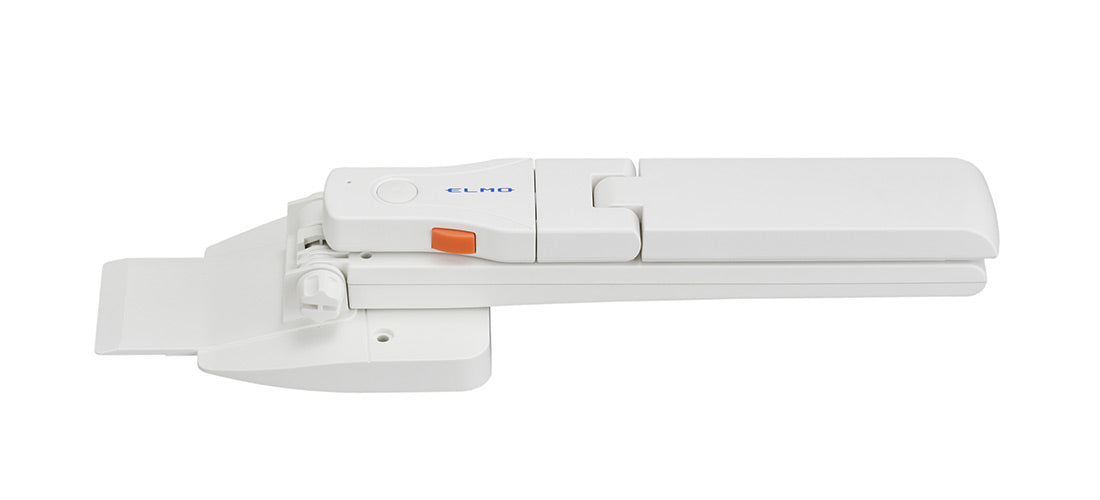
Essential features for simple classroom observation
This small classroom observation tool, an ideal ally for those on a tight budget, has the following technical characteristics:
- Smooth image quality guaranteed by a frame rate of 30fps (at 720px) and a 1/3.2'' CMOS sensor
- The ability to view both pages of an open manual, i.e. an A3 format, thanks to a shooting area of 430mm x 322mm .
- An image that can be enlarged via the software provided with the viewer - ELMO Interactive Toolbox - thanks to an 8x digital zoom .
- LED lighting.
- a built-in microphone
Enhance the OX-1 class viewer with optional accessories.
Its 5V DC power supply (via USB) means this visualizer can be used anywhere. Connect it to a PC for self-powered operation (USB 2.0 connection). Although completely self-contained, the OX-1 visualizer can be supplemented with accessories (not included) for specific uses:
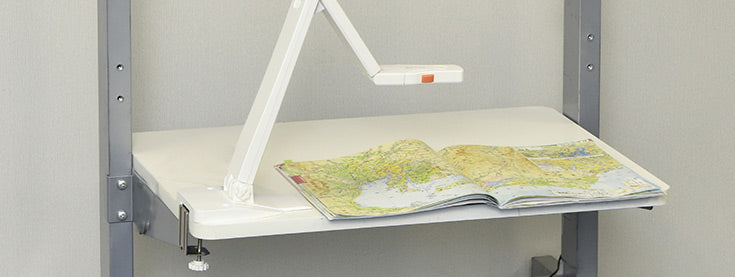
The desk clamp: thanks to this, you can securely attach the document camera to the edge of a table. Handle it regardless of its position; its base will remain fixed and its stability guaranteed!

The whiteboard: on this erasable surface, write or draw live during your lesson.
Specifications
Specifications
-
Included accessories
-
Energy consumption
-
Product dimensions
-
Net weight
-
Camera resolution
-
Focus
-
Digital zoom
-
Frame rate
-
Shooting area