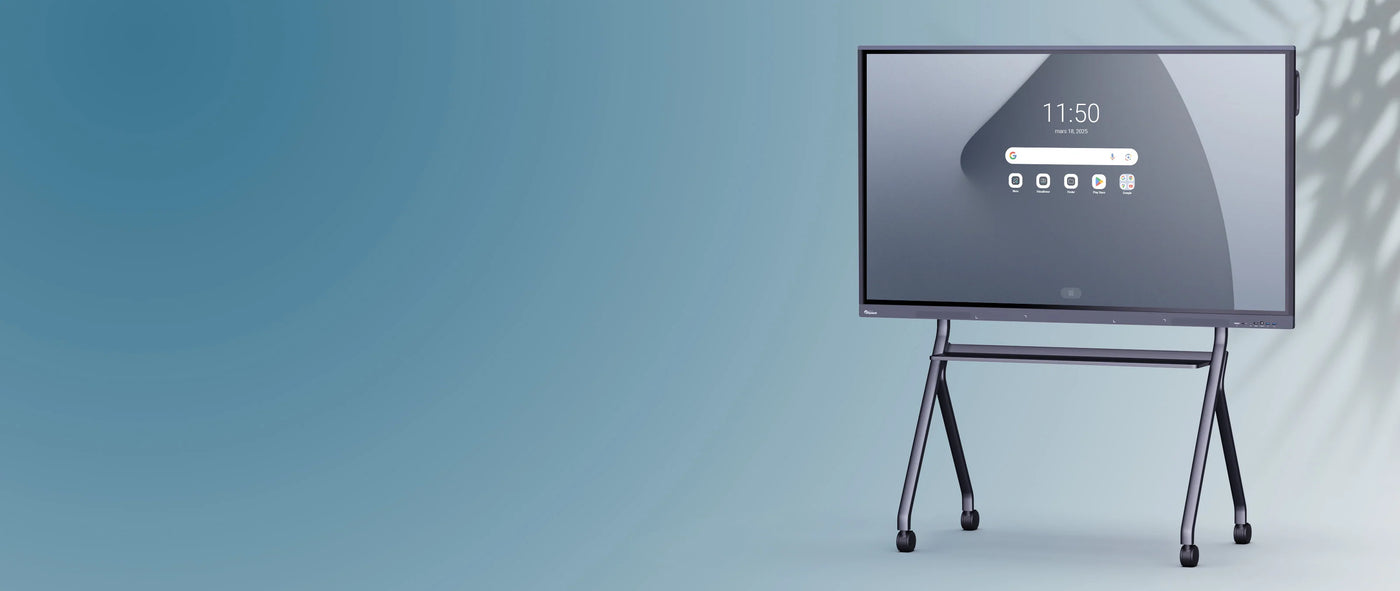
SuperGlass 3 SpeechiTouch interactive touch screen | 75" (Wi-Fi and mirroring license included)
Couldn't load pickup availability
Description
Description
A premium interactive experience, the best technology on the market
The SpeechiTouch SuperGlass 3 interactive display has several strings to its bow to offer a truly powerful and complete interactive experience.
- An ultra-powerful, latest-generation Android 13 core
- Very high performance to offer maximum responsiveness and meet all types of uses, even the most demanding.
- A high-precision process for perfect and ultra-smooth writing
- Equipment designed for professionals and an ultra-large workspace (from 65” to 105”)
- Enhanced features and a customizable interface
A giant Android 13 tablet with extensive features
SpeechiTouch SuperGlass 3. The SuperGlass range goes even further with a very powerful and responsive screen, made possible by its Android 13 core, its 8-core processor and its High Precision SuperGlass process.
Take advantage of a multitude of tools and new features: USB-C out to extend your screen across two giant tablets, Picture-in-Picture to remove all barriers between Windows and Android, pressure recognition on your whiteboard app, and many more…
SuperGlass 3™ technology for precision with pressure recognition
In addition to its high-precision technology, the SuperGlass 3 screen features pressure sensitivity. The precision of your lines will depend on the pressure applied with the stylus. The interactive screen becomes your graphics tablet; bring your ideas to life with style.
- Zero lag: optical bonding - or that 3 mm gap between the point on the screen touched and where your line is drawn - is reduced to its maximum, hence its extreme precision.
- Zero latency: the SuperGlass 3 screen follows your finger or stylus perfectly, adapting to your writing pace without ever falling behind.
- Intelligent detection: The touchscreen can detect the area occupied by a touch point. The two styluses included with the SuperGlass 3 each have a fine tip and a thick tip, which the screen differentiates between. In the whiteboard app, assign a different color to each tip.
- Comfort: the two styluses supplied with the screen have a felt tip to prevent them from clicking on the screen, for a more than appreciable writing comfort.
An experience tailored to you with the Speechi Connect interface
Enjoy a connected, intuitive, and personalized interface with Speechi Connect and teach and collaborate more easily with the tools you need. Personalize your workspace and access all your files anytime, anywhere, on any Speechi interactive screen by connecting via your smartphone, tablet, or PC. It's simple, fast, and secure, and you can use a multitude of tools: transfer and retrieve your files with a single tap, video conferencing with a click directly on the interactive screen, your connected calendar to view your day's schedule, and a range of tools for annotating, capturing, quickly searching the web, and more.
The Premium SuperGlass 3 screen: a powerful collaboration tool for professionals
Multi-user
Multiple people can interact on the SuperGlass 3 interactive screen; it recognizes up to 50 touch points. Perfect for brainstorming workshops, where everyone can share their ideas.
An even larger space
Thanks to the screen's USB-C out port, you can extend your screen across 2 screens (or even more) for an even larger space and a great effect on your audience.
Share your screen
Thanks to the Bytello Share mirroring tool (license included), you can share the content of any screen on a giant tablet, with touchscreen functionality.
Infinite whiteboard
With the whiteboard app, take notes in meetings, present, animate, diagram and organize to facilitate understanding for your colleagues.
Video conference
With its ultra-powerful speakers and 8 microphones, complement the SuperGlass 3 screen with a camera and it will be operational for your video conferences.
Boost your SuperGlass 3 screen even further with the optional OPS Windows or Google certified option.
With OPS technology, you can integrate a Windows PC solution or an EDLA-certified Google system into the screen using the dedicated insert. Depending on your needs and software, choose the option that suits you best:
- OPS Windows: Switch seamlessly from the Android interface to Windows and enjoy your familiar Windows workspace on a giant screen, along with all your software for remote meetings, presentations, team meetings, and more. A completely standalone, ready-to-use solution—no need to connect your personal PC.
- Android Box: your user experience goes to the next level! Thanks to Google EDLA certification, enjoy the entire Google environment without exception and in complete security (Playstore, Meet, Drive, Chrome, Gmail, etc.), and a boosted and personalized Speechi Android interface for rich and maximum interaction.
The most
Your screen is equipped with a Wi-Fi module so you are always connected, and a Bytello Share license to share your screen easily and quickly whenever you need to.
You can also add other equipment, such as a camera, to configure your meeting room as a video conferencing room as soon as a remote meeting is scheduled. You will find all the additional accessories (stands, BYOD, software, etc.) using the configurator.
Specifications
Specifications
-
Diagonal de l'écran
-
Type de dalle
-
Angle de vue
-
Verre de protection
-
Fréquence de balayage (Hz)
-
Durée de vie moyenne de la dalle
-
Ratio d'affichage
-
Ratio de contraste
-
VESA
-
Luminosité
-
Support pour caméra
-
Dimensions du produit
-
Poids net
-
RAM
-
Wifi
-
HDMI OUT
-
Port ethernet (RJ45 IN)
-
USB Touch
-
USB 3.0