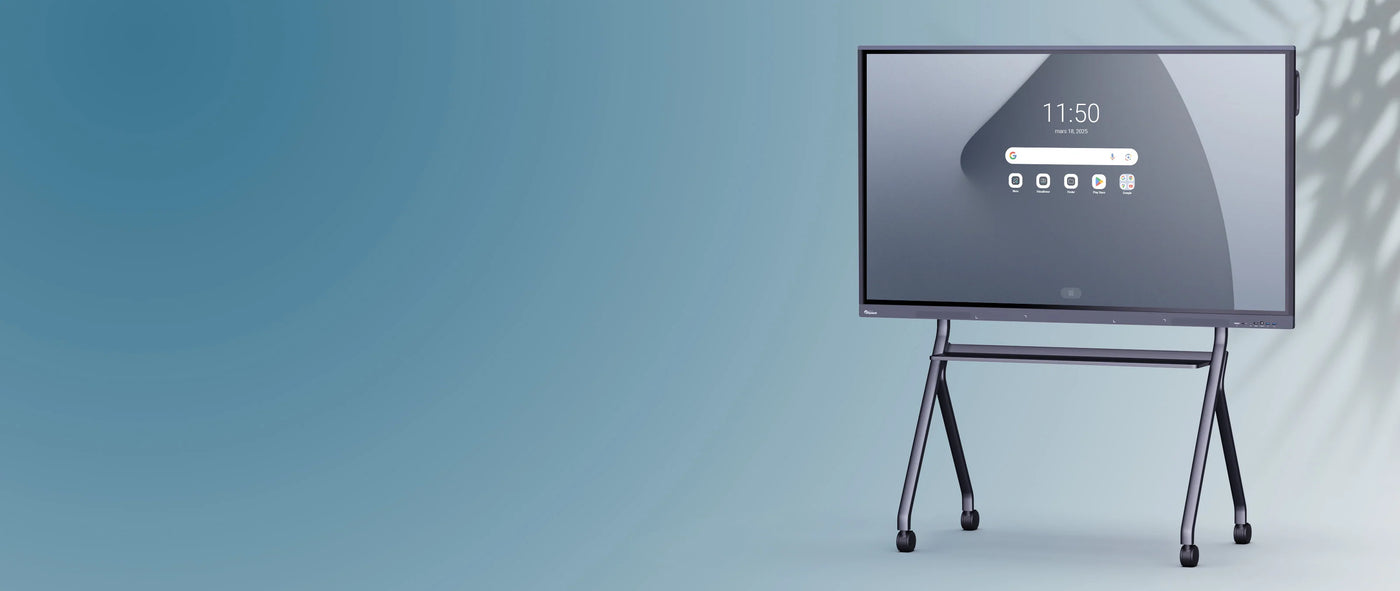
SpeechiDisplay UHD Android Display Screen | 75''
Description
Description
The SpeechiDisplay screen: a simple and powerful communication tool
Keeping your audience informed with dynamic, high-quality communications is easy with the SpeechiDisplay screen, whose homepage offers you:
- a player to launch and play your videos and image slideshows
- A Finder to store all your communication files locally (16 GB of storage)
- The Screenshare app lets you easily share your device's screen (smartphone, tablet, PC) on your display.
- a settings panel
Our digital signage screen integrates seamlessly into your environment. Display your images and videos using, for example, a USB drive.
Impeccable display in all circumstances
To avoid any visual discomfort due to reflection, the display screen is equipped with an anti-reflective panel so that you can place the screen wherever you like in the most suitable location (in a shop window, in front of a window, etc.).
Similarly, the brightness of the SpeechiDisplay display screen is intentionally set at 450cd/m² to ensure a consistently high-quality display, even if the ambient light fluctuates throughout the day.
An Android core: smooth visuals and powerful performance
The SpeechiDisplay display screen features an Android 8.0 core which provides:
- smooth image and avoids any latency issues
- loads of practical features, such as application installation or simplified mirroring with the ScreenShare application integrated into the screen to broadcast the screen of your PC, tablet or smartphone onto the display screen.
A robust display screen designed to last
Composed of an LED-lit LCD panel, the SpeechiDisplay display screen allows you to broadcast your content 10 hours a day, 6 days a week for a minimum of 10 years.
A display screen that harmonizes with your space
In addition to being a powerful and practical communication tool, it boasts a sleek design with ultra-thin bezels that allow the screen itself to occupy 96% of the surface. Depending on the desired effect and objective, you can orient the display screen in portrait or landscape mode.
Use Cases
All sectors of activity can benefit from the SpeechiDisplay display screen to improve their communication and reach their target audience more easily. Here are some possible use cases for the SpeechiDisplay display screen.
In schools
Schools, colleges, high schools and universities will be able to quickly and efficiently inform students and teachers of exam dates, registration deadlines, cultural news, cafeteria menus, etc.
In ready-to-wear stores
With the SpeechiDisplay display screen, inform your customers about current promotions, highlight pieces from your collection, give a preview of the collection being worn, and provide ideas for outfits and pieces to combine.
In healthcare facilities
With a SpeechiDisplay screen placed in the waiting room, inform your patients of opening and closing times, ongoing vaccination campaigns, give advice, raise awareness, dispel misconceptions or even keep young children entertained.
In museums
Inform visitors about upcoming exhibitions, guided tour times, highlight certain works from your collection, etc.
Within institutions
The SpeechiDisplay display screen can help you direct the audience to the right people, remind them of steps and procedures, answer frequently asked questions, etc.
In banks and insurance companies
With the SpeechiDisplay display screen, remind customers of the correct procedures to follow, give more visibility to your offers, give advice, etc.
Manage your content remotely with the WiFi option
By connecting a Wi-Fi dongle to the screen, you can remotely manage the content displayed on the screen via your preferred system. The screen's Android technology ensures maximum compatibility with any solution you choose.
A screen that can be transformed into a PC
If you want to use this screen for more than just displaying information and to work on it, every SpeechiDisplay screen has a slot where you can insert a Windows PC in the form of an OPS module ( i5 or i7 optional). This allows you to switch seamlessly between the Windows PC and the embedded Android 8 interface, all from your digital signage screen.
With the Windows system, you can find your computer's environment and software on an enlarged projection surface.
The wide range of connectivity options allows for easy connection (HDMI IN, Display Port IN, VGA IN, etc...) and enables screens to be connected together (HDMI OUT).
Specifications
Specifications
-
Diagonal of the screen
-
Panel type
-
Display ratio
-
VESA
-
Brightness
-
Product dimensions
-
Net weight
-
RAM
-
Wifi
-
HDMI 2.0
-
HDMI OUT
-
USB 3.0