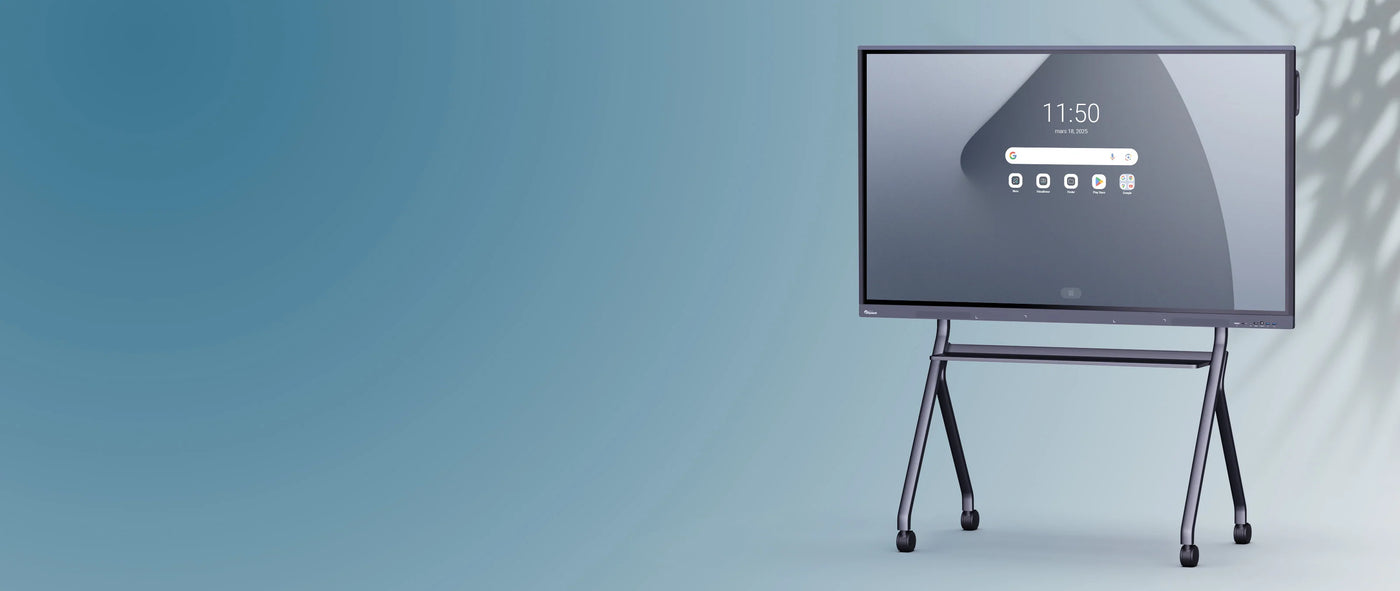
Clevertouch UX PRO Gen 2 4K 75" Interactive Touchscreen for Android
Description
Description
An interactive screen at the forefront of visual and touch technologies
Exceptional 4K resolution (Android/Windows)
All Clevertouch interactive displays in the UX Pro 2 range offer UHD 4K resolution (3840 x 2160 pixels). This high pixel density is present in both the Android and Windows interfaces for touchscreens equipped with an OPS. This gives the UX Pro 2 interactive display excellent image quality and vibrant color reproduction.


Advanced “Zero Bonding” touch features on a giant Android 9 tablet
The Clevertouch UX Pro 2 - 75” interactive display features cutting-edge, high-precision infrared touch technology with “zero bonding.” This technology reduces the gap between the writing point and what is displayed on the screen, for millimeter-level accuracy (gap < 1mm), offering comfort, precision, and fluidity. It incorporates various touch functions that will appeal to all professional sectors:
- Palm rejection: you can rest your hand on the interactive screen without it affecting your work. This feature is particularly appreciated in artistic or architectural professions, for example.
- Finger/stylus differentiation: The UX Pro 2 interactive display comes with two passive styluses with different nib thicknesses. This allows two people to work on the screen simultaneously, using two different colors. The display software also differentiates between stylus and finger input.
An interactive screen with innovative technical capabilities

Manage different user profiles using the NFC sensor
To secure everyone's data and distribute the sharing space among all users, the Clevertouch UX Pro 2 interactive screen can be equipped with an NFC sensor to be placed under the frame.
Each user will be able to use their own NFC card and connect to their profile containing their files and favorite applications simply by sliding the card on the frame of the UX Pro 2 screen.

A barrier-free video conference thanks to the integrated microphone and speakers
The Clevertouch UX Pro 2 - 75” interactive display does not require the connection of an additional microphone or speakers: everything is directly integrated into the screen.
The speakers positioned at the front of the interactive screen (2 x 15 W) coupled with the subwoofer (15 W) are a real treat for users: it is a plus for the UX Pro 2 interactive screen which stands out from other professional interactive screens.

Collaborate effectively, even remotely, with Nuiteq Stage software
Hold an impromptu meeting at any time of day using your interactive display. Remote colleagues can follow along from their own interactive displays, tablets, or PCs via a simple and intuitive interface. No software or app installation is required; simply enter the meeting code generated by the interactive display.
In addition to a digital workspace allowing you to share different types of media and documents (PowerPoint, PDF, images, etc.), Stage allows you to conduct video or just audio conferences.

Instant meetings thanks to the motion detector
Equipped with a motion detector, the 75” UX Pro 2 interactive display wakes up from sleep mode when you wave your arm. No time is wasted; the meeting can start as soon as participants enter the room.

Add a Windows OPS to your interactive display
Instead of connecting your PC to your interactive screen, establish permanent access to a Windows PC by sliding an OPS module ( i5 or i7 , optional) into the slot provided for this purpose in the edge of the UX Pro 2 interactive screen.
With a simple gesture, you can switch from the embedded Android interface to the Windows interface and use your interactive screen at your leisure.

Two distinct styluses with dual recognition for collaborative use on an interactive screen
The two passive infrared styluses included with the UX Pro 2 touchscreen are super cool and look just like real pencils, offering a comfortable grip and more precise note-taking. They are magnetic, so you can always keep them close to the screen, and come with two nibs for different colors and thicknesses.

The UX Pro 2 range is available in several sizes.
The UX Pro 2 range is available in different sizes:
- CleverTouch UX Pro 2 - 55" interactive touchscreen for small spaces (groups of 10 people)
- CleverTouch UX Pro 2 - 65" interactive touchscreen for small meeting rooms
- CleverTouch UX Pro 2 - 75" interactive touchscreen for all room sizes
- CleverTouch UX Pro 2 - 86'' interactive touchscreen for large video conferencing and meeting rooms.
Like other interactive displays from the Clevertouch brand, the UX Pro 2 - 75” interactive display is compatible with all our stands and mounts (VESA 800 x 400 mm) and can be easily fixed to any wall.
A state-of-the-art connectivity system
- 2 USB Type-C ports, one is installed on the front of the screen for easy access and allows network connection (Ethernet)
- Four USB Type-A 3.0 ports allow for fast data transfer, one of which is located on the front of the screen for better accessibility.
- 3 HDMI IN ports
A nice bonus: the USB Type-C ports support fast charging, allowing you to charge your smartphone or computer directly on the screen (65W charging for the side port). The USB Type-C connection also enables the transfer of UHD video and touch data from your device to the interactive display (and vice versa).
Find the complete list of features of the 75” Clevertouch UX Pro 2 interactive screen on its technical datasheet.

An interactive screen designed for meetings and video conferencing
An advanced software suite integrated into the UX Pro 2 interactive display
Thanks to its Android 9 core and LUX 9 software, the Clevertouch UX Pro 2 interactive display is self-contained and powerful. This allows it to run a large number of professional software programs that come pre-installed on the interactive touchscreen:
- Nuiteq Stage - a collaborative software allowing the creation of a simple-to-use digital workspace with a video conferencing system.
- ClevertouchLive - a digital signage solution natively installed on the UX Pro 2 interactive screen allowing you to personalize your screens and broadcast dynamic display messages.
- Clevershare App - an ideal application to make all meetings productive and impactful by allowing participants to project content from their computer or tablet onto the interactive screen.
- Cleverstore 3.0 - Clevertouch's dedicated application store with a comprehensive library designed for business professionals.
- Remote Management (MDM) - a free, remote interactive display fleet management software that allows your IT department to take control of the displays, turn them on or off from a single workstation, install applications, or perform bulk updates.
- Cloud save - Google Drive, OneDrive, Office 365 and Dropbox accounts can be synchronized on the screen or directly linked to the user's NFC profile so that they have access to their files at any time.
- Customizable Launcher - ClevertouchLive allows you to personalize your screen interface with the colors and image of your company or organization.
Specifications
Specifications
-
Screen diagonal
-
Viewing angle
-
Protective glass
-
Aspect ratio
-
Contrast ratio
-
VESA
-
Brightness
-
Camera mount
-
Included accessories
-
Product dimensions
-
Net weight
-
RAM
-
Wi-Fi